
Easy Currency Converter Pro
ExtraAndroaryFinance
4.651.00 Reviews
- Version
- Varies With Device
- Installs
- 50.00K
- Age Rating
- Everyone
Screenshots
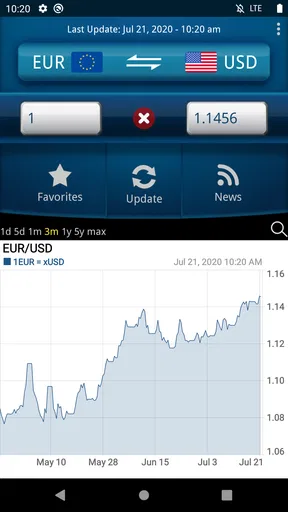
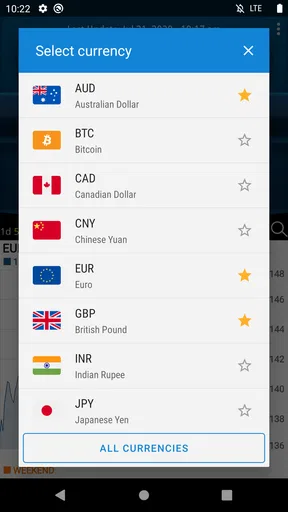
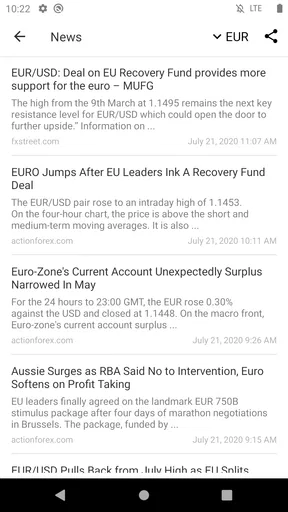
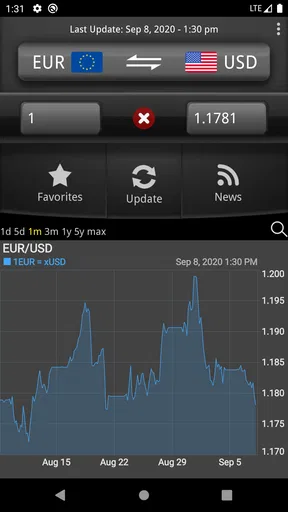
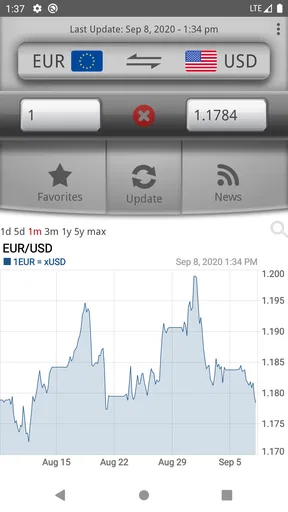
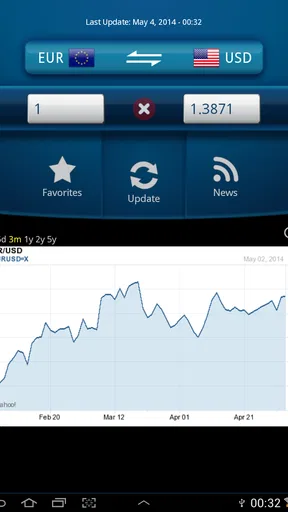
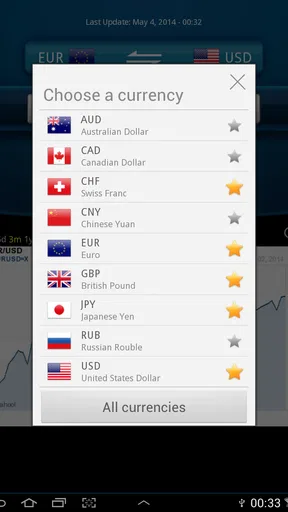
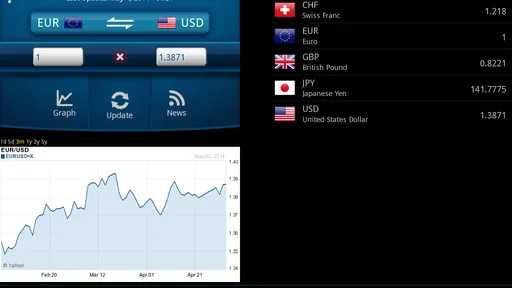
Our Review of Easy Currency Converter Pro
 Analysis by Appyee
When I compare currency tools, I care less about flashy extras than about whether I can get a sensible answer quickly, keep using the app when signal disappears, and understand what that answer means. Easy Currency Converter Pro is built around that practical job. I’d consider it for travel spending, checking prices in another currency, or keeping a small set of exchange rates close at hand—not as a substitute for a bank’s final transaction quote.
A practical converter, with a clear purpose
This is a finance app from ExtraAndroary, and its appeal is its focused approach: choose currencies, enter an amount, and use the result as a guide. It covers more than 200 currencies, which is helpful when a trip or purchase involves a less familiar destination rather than only the major currencies most people see in everyday banking apps. The app is rated for Everyone, so its intended use is straightforward and broadly accessible.
I find a dedicated converter useful because it keeps the task separate from a banking app, a search engine, or a phone calculator. Those alternatives can be fine for a one-off check, but they often make me repeat steps or switch between screens. Here, the currency comparison is the point. Favorites are especially useful when I repeatedly compare the same home currency with the currencies of places I’m visiting or buying from.
What the offline option is good for
The offline mode is most valuable as a continuity tool, not a promise that a disconnected phone can know the latest market movement. Before leaving a hotel or home Wi-Fi, I’d open the currencies I expect to need and check that the app has had a chance to refresh. Then, if I’m underground, on a flight, or dealing with unreliable roaming, I can still make a rough comparison using the rates available on the device.
That distinction matters when deciding whether a price is affordable. Offline conversion can help me compare a café menu, a taxi estimate, or a souvenir with what I normally spend at home, but I would treat it as an estimate rather than the exact amount that will appear on a card statement. A bank or payment provider may apply its own rate or fees. For an actual purchase, I’d use the converter to understand the scale of the cost and check the payment screen before confirming.
Rates, charts, and the right level of confidence
Live exchange rates are useful for a quick sense of value, while charts add context when I want to see whether a rate has been moving rather than reacting to one number. I’d use a chart to frame a decision—such as whether to exchange a modest amount now or wait until later—not to make a confident forecast. Currency movements can change, and a chart cannot tell me what a shop, card issuer, or exchange counter will charge.
One practical habit is to compare the same amount in both directions before a larger exchange. It helps catch a mistaken currency selection or an extra zero before I act. I’d also keep the favorites list deliberately short: the home currency plus the few currencies I actually use. That makes repeat checks quicker and reduces the chance of reading the wrong row when I’m in a hurry.
First Impressions
When I first downloaded Easy Currency Converter Pro, I was pleasantly surprised by its clean and straightforward interface. No clutter, no overwhelming options—just a sleek design that gets right to the point. As someone who appreciates a no-nonsense approach, this app had me hooked from the get-go.
Features That Stand Out
The app boasts a range of features that make currency conversion a breeze. First off, it supports over 200 currencies and cryptocurrencies. Yup, you read that right. Whether you're dealing in dollars, euros, or Bitcoin, this app has you covered.
One of my favorite features is the offline mode. It allows you to convert currencies even without an internet connection, making it perfect for those spontaneous trips or when you're stuck in a no-Wi-Fi zone. It updates exchange rates automatically when you’re back online, so you’re always getting accurate conversions.
The app also offers a useful favorites list. You can save currencies that you often check, making future conversions a snap. It’s a small feature, but it adds a layer of convenience that I didn’t know I needed until I had it.
Usability and Performance
Using the app is as easy as pie. You simply select the currencies you want to convert, input the amount, and voilà, you've got your conversion. The app runs smoothly without any hiccups or crashes, which is a huge plus in my book. Nobody wants to deal with an app that sputters and stalls, especially when you’re trying to make quick conversions on the go.
What’s more, the app offers exchange rate charts that help you track how a currency has been performing over time. It’s not just about knowing the current exchange rate; it’s about understanding trends, and this app makes that accessible to everyone.
Who Will Love This App?
If you’re a frequent traveler, a digital nomad, or someone dealing with multiple currencies regularly, this app is a must-have. It’s simple, efficient, and does exactly what it promises without any unnecessary frills. Even if you’re just a casual traveler, having this app handy can save you from a lot of headaches and confusion.
It’s also great for anyone dabbling in cryptocurrencies. With the ever-fluctuating nature of crypto, having real-time exchange rates available at your fingertips is invaluable.
Choosing it over a search or calculator
For a quick conversion, a web search or calculator may be enough, and I wouldn’t install a separate app for someone who only checks a foreign price once in a while. The difference appears when the same comparisons come up repeatedly. A saved currency pair and an offline reference can be easier than typing a query each time, while the chart gives more context than a basic calculator. If I need a guaranteed transaction total, though, I would trust the payment provider’s confirmation screen over any general converter.
A realistic travel routine would be to save the destination currency before departure, refresh while connected, and use the app to sanity-check prices during the day. At dinner, for instance, I could enter the bill amount and get a quick home-currency estimate without trying to do mental arithmetic at the table. If the phone has been offline for hours, I’d remember that the estimate may be based on an older rate and leave a margin rather than treating it as an exact bill total.
Who may want a different tool
This app is a better fit for people who compare prices or exchange rates often than for someone who needs accounting records, spending reports, or a live trading workspace. A converter answers “about how much is this?” It does not replace a bank’s account view or a specialist service designed to execute transfers. Anyone choosing a service for a payment should compare the rate and fees at the point of transaction, rather than assuming a conversion estimate is the amount they will ultimately pay.
I’d also be cautious about relying on any offline rate for a time-sensitive decision. The feature is handy when connectivity drops, but it cannot refresh while disconnected. My approach would be to check the rate before going offline, use the result as a ballpark figure, and verify again once a connection returns. That small routine makes the offline mode genuinely useful without asking it to do something it cannot do.
Where the app stands now
Easy Currency Converter Pro arrived on August 2, 2012, and its long-standing purpose remains easy to understand: make currency comparisons accessible without turning them into a complicated workflow. Its average rating is 4.6 from around 1.7 thousand ratings, and it has passed 50 thousand installs. Those figures suggest that many people have found a reason to keep a focused converter available, though they don’t tell me whether it suits every person’s needs.
The app costs $2.49, so I’d weigh that against how often I expect to use it. For a frequent traveler or someone who regularly checks international prices, paying for a dedicated tool can make sense if the saved currencies and offline access become part of a routine. For an occasional one-time conversion, a free calculator or browser search may be the more sensible choice. I would decide based on repeated use, not on the number of currencies alone.
What I would keep in mind
One remaining trade-off is that a broad currency list can make selection slower if I keep switching among many options. Favorites help, but they work best when I save only the pairs I need. Another is confidence: a clean result can look definitive even when exchange rates and transaction costs are not the same thing. I’d treat the conversion as a comparison aid, then check the actual rate offered by a card, bank, or exchange provider before spending or transferring a substantial amount.
For existing users, the most useful habit is to refresh rates when connected before relying on the app during a trip, and to revisit the chart when a rate change matters to a planned purchase. I’d also test the workflow with a familiar amount at home so I know where the currency selector and favorites are before trying to use them in a crowded station or shop. Those small steps make the app more dependable in the situations where quick decisions matter.
My Final Thoughts
All in all, Easy Currency Converter Pro is a solid app that delivers on its promises. It’s user-friendly, reliable, and packed with features that cater to both casual users and hardcore travelers. The offline mode and real-time updates are particularly impressive, making it stand out in a crowded market of currency converters.
So, next time you’re planning a trip or diving into the world of crypto, give this app a shot. It might just become your new best travel buddy. And hey, you’ll never have to awkwardly guess the price of that souvenir again!
Verdict
Strengths of Easy Currency Converter Pro
- User-friendly interface and easy navigation.
- Supports a wide range of global currencies.
- Real-time exchange rate updates.
- Offline mode for basic conversions.
- Customizable favorites for quick access.
Limitations of Easy Currency Converter Pro
- Ads may be intrusive on the free version.
- Occasional lag during rate updates.
- Limited features without premium purchase.
- No support for cryptocurrency conversions.
- Requires internet for real-time accuracy.
Similar Picks in This Category
View All
Google Wallet
Google LLC4.3

Airtel: Recharge, Bank & Loans
Airtel4.0

PayPal - Pay, Send, Save
PayPal Mobile4.2

DANA Indonesia Digital Wallet
PT Espay Debit Indonesia Koe4.5

Binance: Buy Bitcoin & Crypto
Binance Inc.4.8

Cash App
Block, Inc.4.7
Frequently Asked Questions
What features does Easy Currency Converter Pro offer?
Easy Currency Converter Pro provides real-time exchange rates for over 180 currencies, making it ideal for travelers and business professionals. It includes offline mode, historical charts, and a built-in calculator. The app is user-friendly, allowing you to add favorites and convert multiple currencies simultaneously.
Is Easy Currency Converter Pro accurate and reliable?
Yes, Easy Currency Converter Pro is highly accurate and reliable. It sources its exchange rates from trusted financial institutions and updates them regularly to ensure you always have the latest information. However, for the most accurate rates, make sure you have an active internet connection for updates.
Can I use Easy Currency Converter Pro offline?
Yes, you can use Easy Currency Converter Pro offline. The app allows you to save the latest exchange rates, which can be accessed without an internet connection. This feature is particularly useful when traveling to areas with limited connectivity. However, ensure to update rates before going offline.
Does Easy Currency Converter Pro support multiple languages?
Yes, Easy Currency Converter Pro supports multiple languages, making it accessible for a global audience. This feature enhances usability for non-English speaking users, allowing them to navigate and utilize the app's features comfortably. Check the app settings to select your preferred language.
Is there a cost to download Easy Currency Converter Pro?
Easy Currency Converter Pro is a paid app, offering numerous advanced features that are not available in the free version. The one-time purchase ensures no ads and access to premium functionalities like offline mode and historical data, providing a seamless and professional user experience.
